Return to All Articles
Article Sections
1. Getting Started
2. Leads
3. Library
4. Sales Template
5. Estimate
6. Proposal
7. Invoice
8. Change Order
9. Organization Management
10. Team Management
Account Setup
Learn how to create, verify, and complete your account profile setup.
By Erro Support | 01/25/2026
3 min read
Getting Started
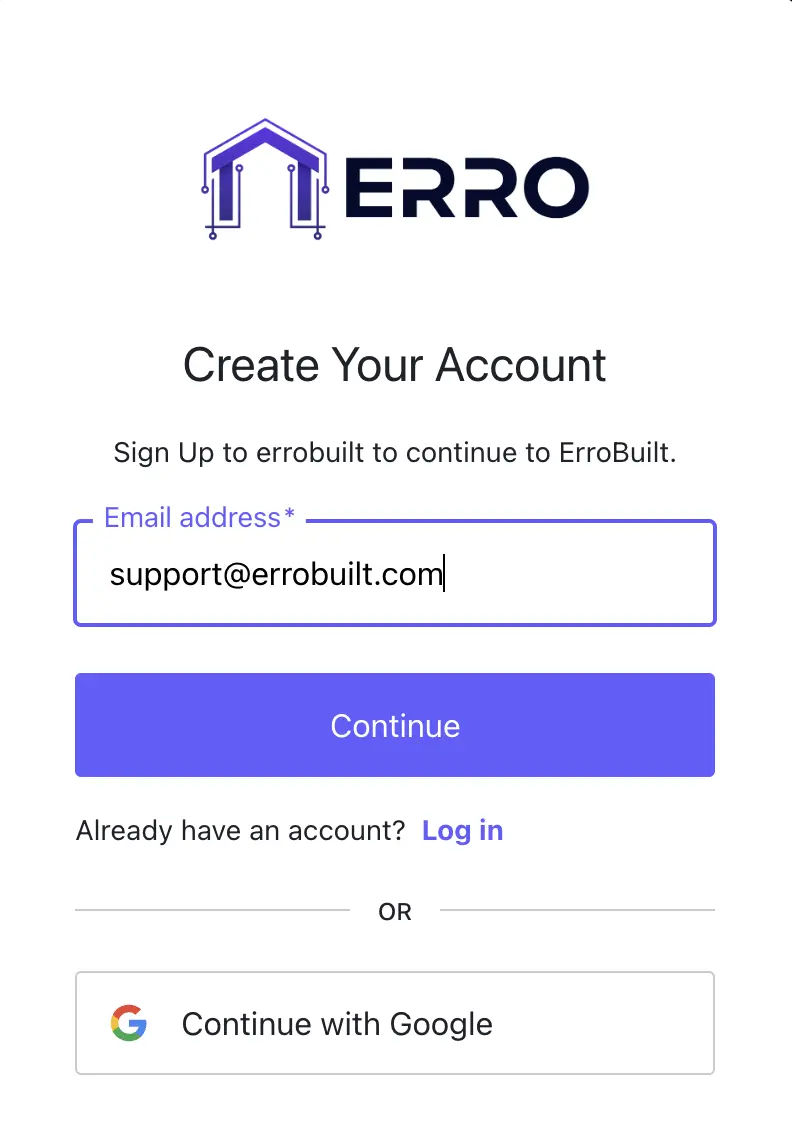
1. Create Your Account
Start by clicking get started and entering your email.
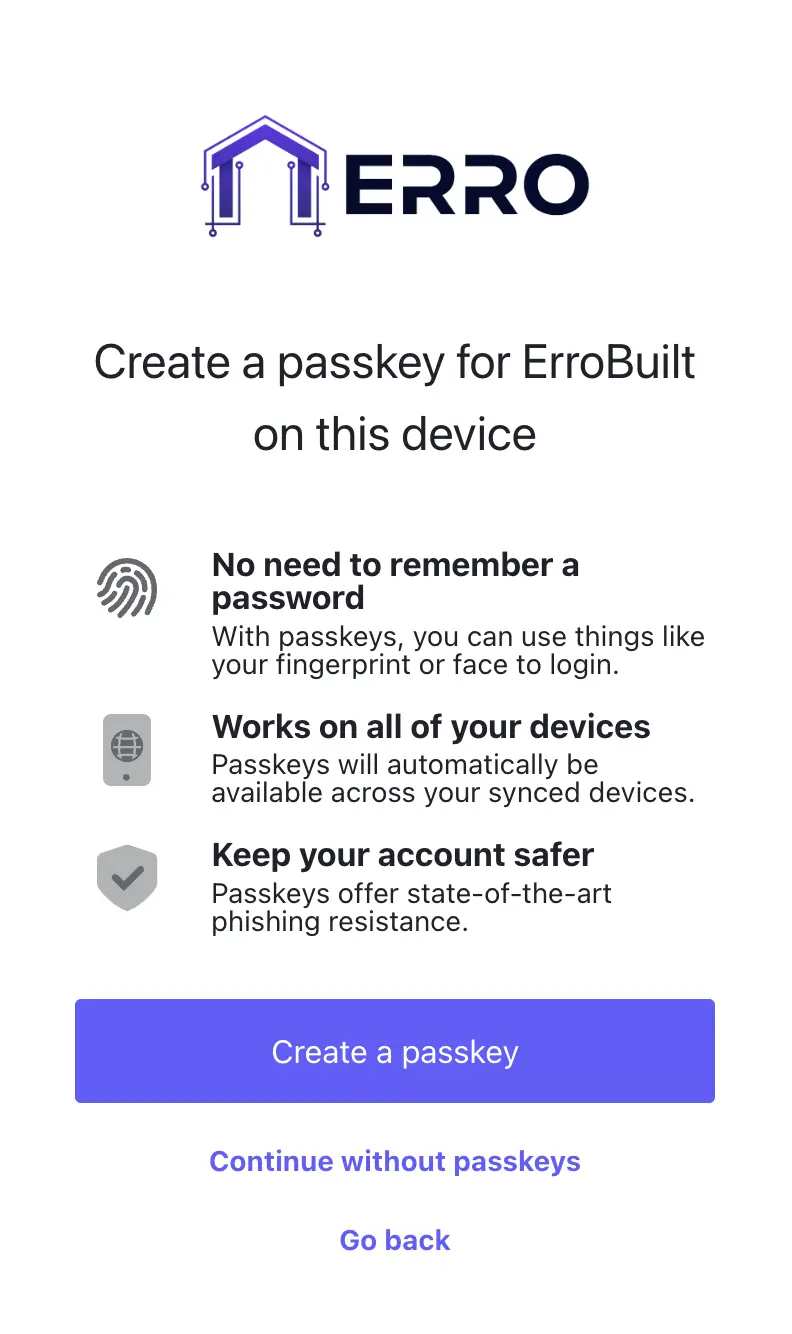
2. Option to Add a Passkey
For this example we will choose to continue without a passkey. Click 'continue without passkeys'.
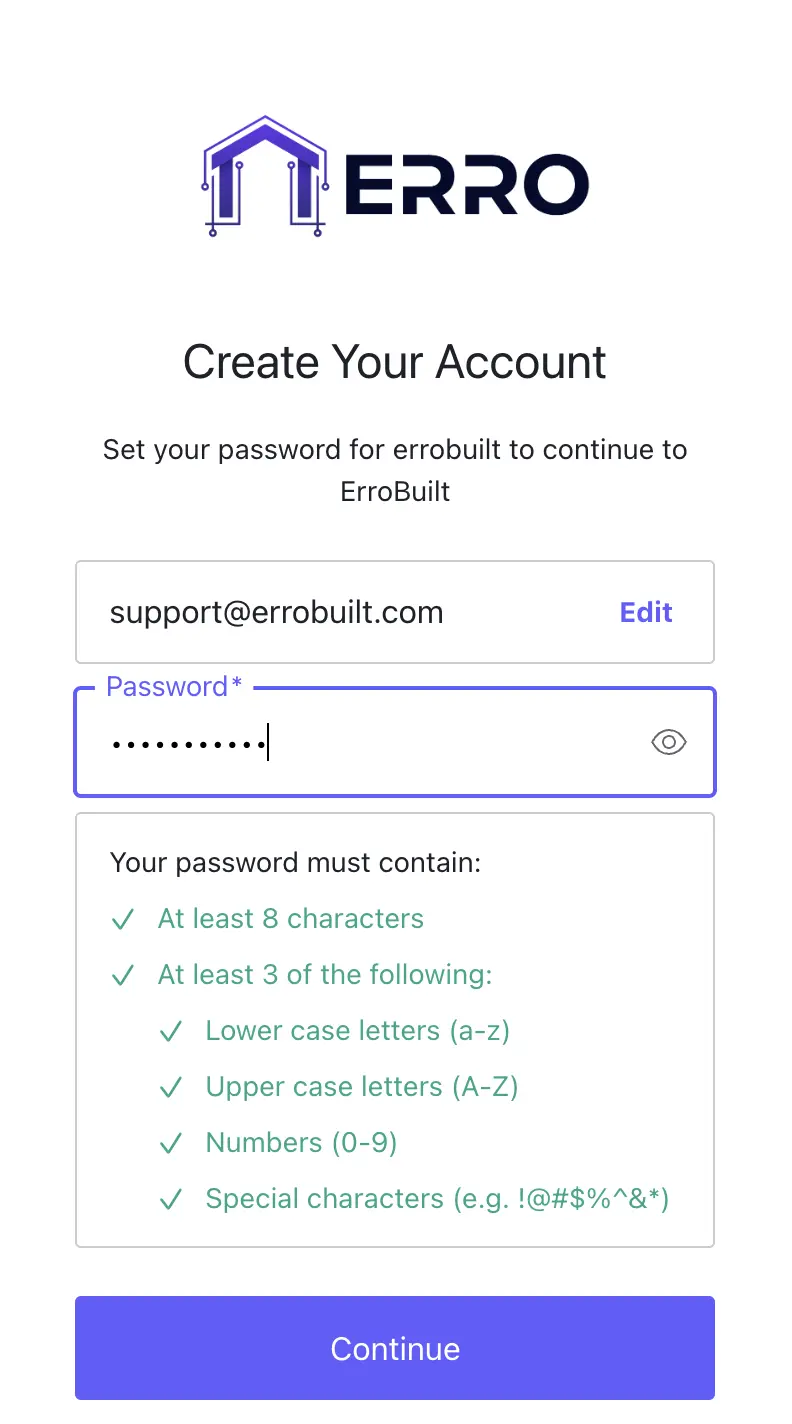
3. Set a Password
Enter a password for your account here following the password requirements.
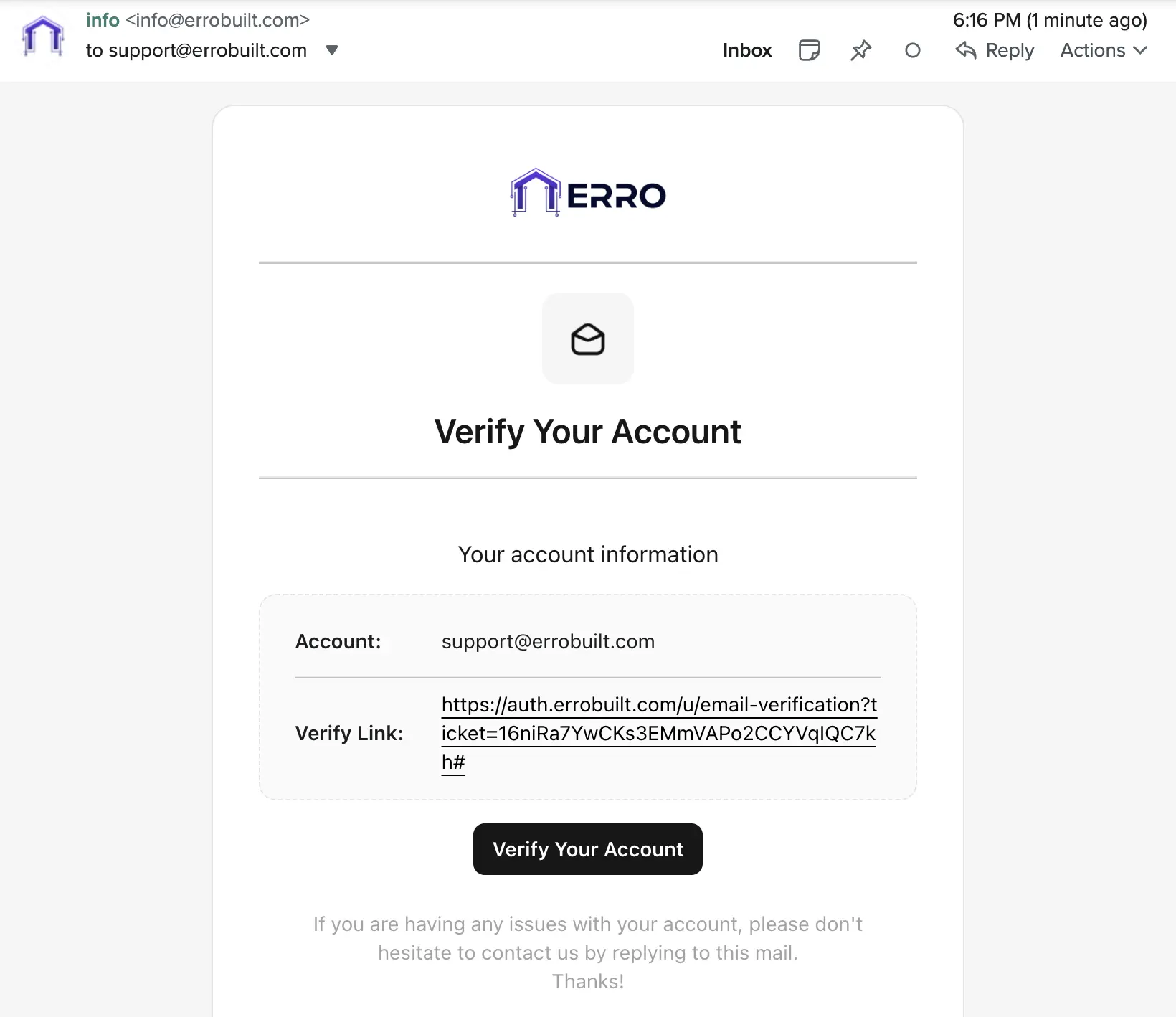
4. Verify Email
Check your inbox for a verification link to activate your account.
Other Getting Started Articles
Explore more articles to help you get the most out of Erro.
QuickStart Guide
Go from lead to invoice in one simple walkthrough
Getting Started
30 min read
1/25/2026

Erro Support
Mobile Setup
Learn how to set up your mobile device for optimal use.
Getting Started
3 min read
5/31/2026
Erro Support