Return to All Articles
Article Sections
1. Getting Started
2. Leads
3. Library
4. Sales Template
5. Estimate
6. Proposal
7. Invoice
8. Change Order
9. Organization Management
10. Team Management
Create an Invoice
Learn how to create an invoice step-by-step. Invoices help you bill your clients for completed work. They can be created for proposals that have been signed and accepted by a client.
By Erro Support | 01/25/2026
2 min read
Invoice
1. View Invoices
Start by navigating to the invoices section to see all your created invoices. To create a new invoice, click the 'Create Invoice' button in the top right corner.

2. Create an Invoice
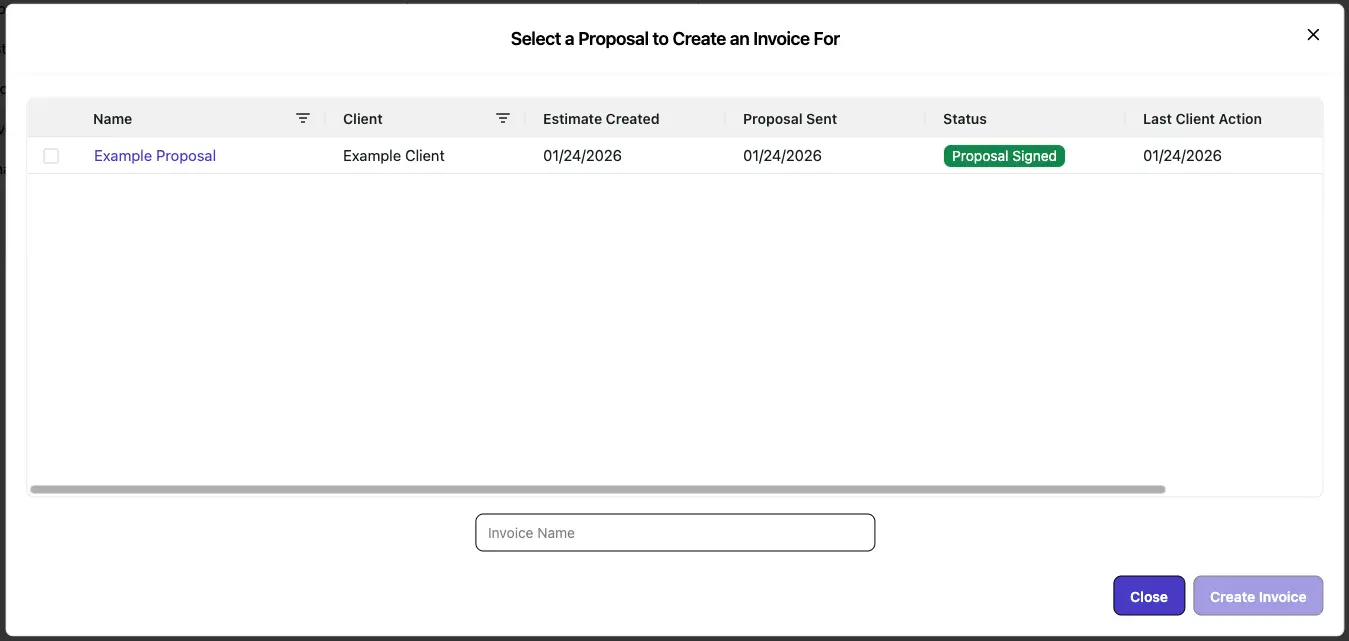
Select the Proposal you want to create an invoice for. Fill in a name for the invoice and click 'Create Invoice'.
3. View Your Invoice
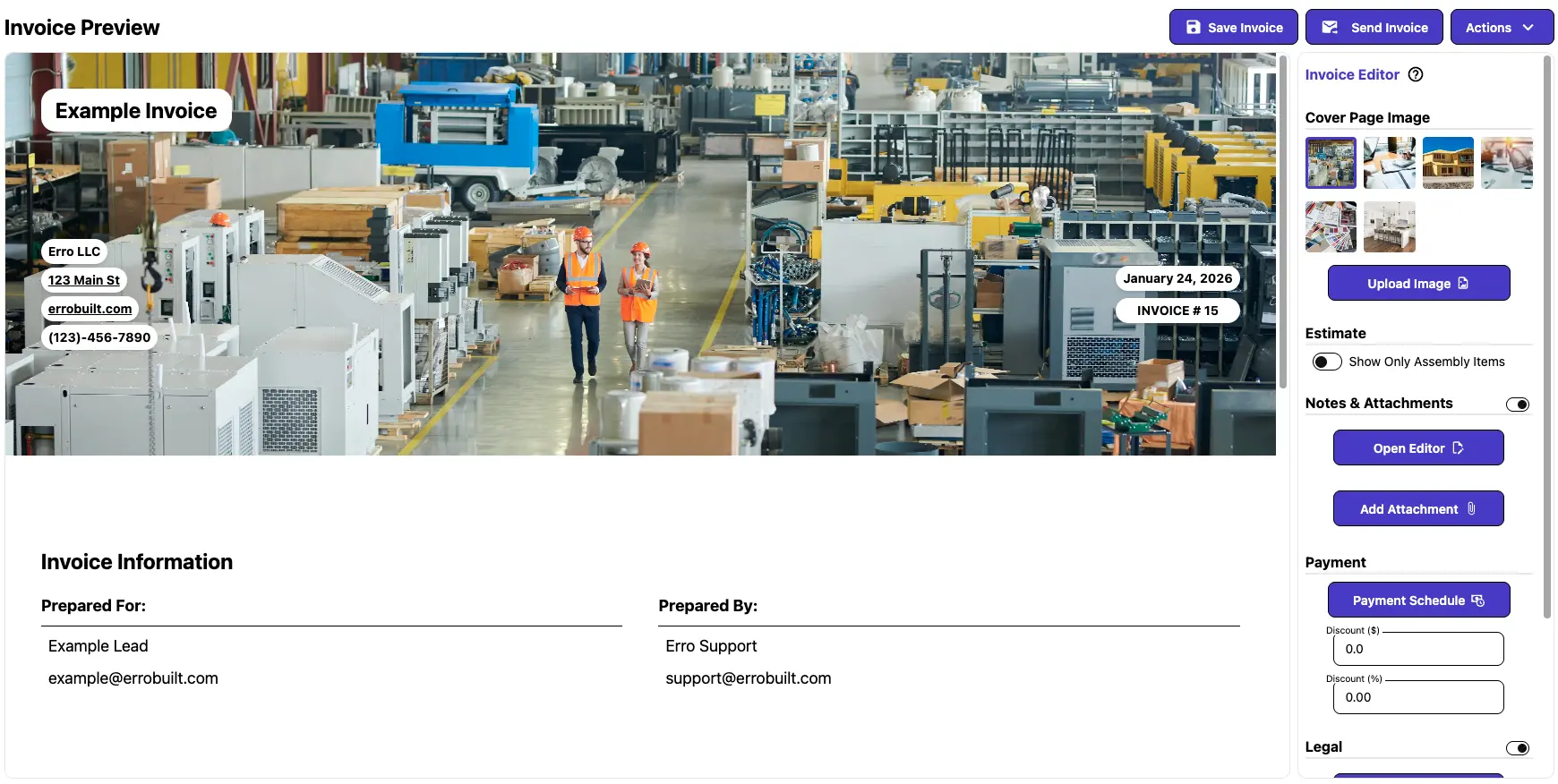
After creating an invoice, the preview of the invoice will be displayed. You can review the details and make any necessary adjustments before sending it to your client.
Other Invoice Articles
Explore more articles to help you get the most out of Erro.
Edit an Invoice
Step-by-step guide to editing an invoice.
Invoice
5 min read
1/25/2026

Erro Support
Create a Payment Schedule
Step-by-step guide for creating a payment schedule.
Invoice
5 min read
1/25/2026
Erro Support
Send an Invoice
Step-by-step guide for sending an invoice.
Invoice
1 min read
1/25/2026
Erro Support
Record a Payment
Step-by-step guide for recording a payment.
Invoice
5 min read
1/25/2026
Erro Support