Return to All Articles
Article Sections
1. Getting Started
2. Leads
3. Library
4. Sales Template
5. Estimate
6. Proposal
7. Invoice
8. Change Order
9. Organization Management
10. Team Management
Manage Organization Permissions
Manage roles and permissions for users within your organization to control access and capabilities.
By Erro Support | 01/25/2026
1. Intro
Within the Erro application, you manage the roles and permissions for users for control of what aspects of your organization they can access and modify. You can create a variety of roles with different permission levels to suit your organization's needs.
2. Open Organization Settings
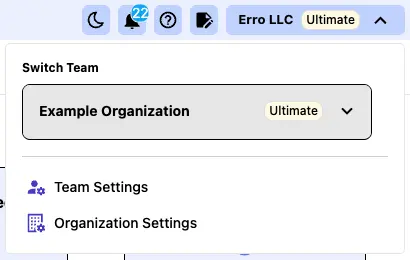
From any page within the Erro app, click on the organization name that you are currently viewing in the top left corner. This will open a dropdown menu where you can select 'Organization Settings' to view organization settings.
3. Click the 'Permissions' Tab
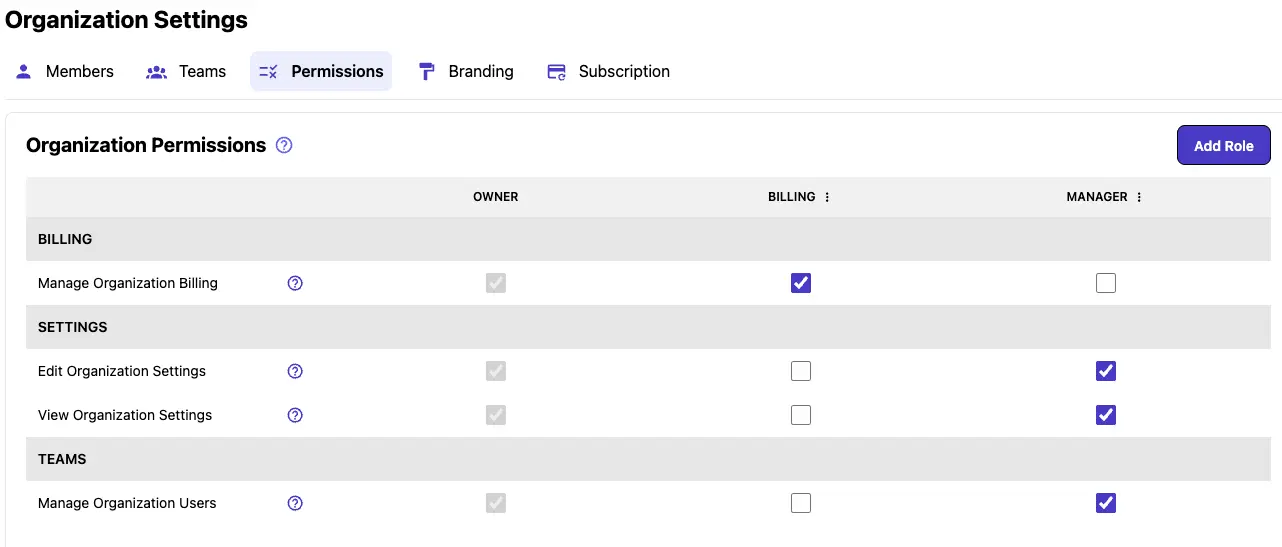
Click on the 'Permissions' tab within the Organization Settings to access permissions options.
4. View and Manage Roles/Permissions
This tab shows you a grif of all of the permissions available to assign at the organization level. The 'Owner' Permission is a default permission that cannot be modified or deleted. To add or remove a permission from a role, simply check or uncheck the box next to the permission name and under the desired role.
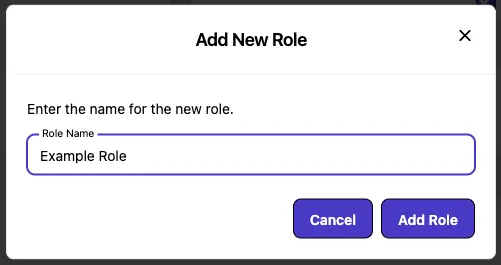
5. Add a New Role
Fill in all of the details you want to add in the details section. Then click 'Save Organization Settings' to save your changes.
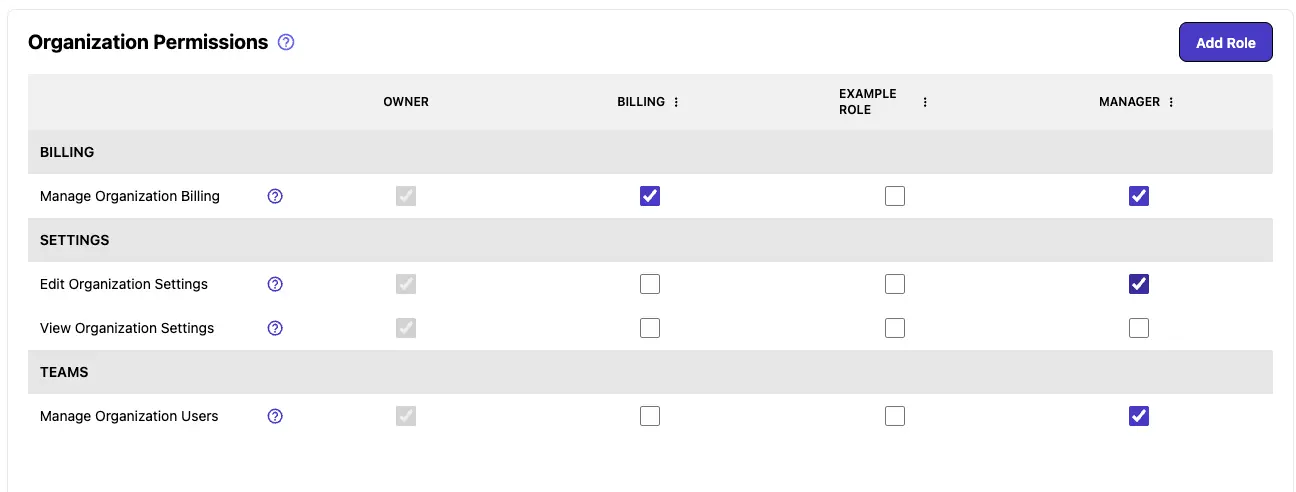
6. Now you can add the desired permissions you would like that role to have.
Manage roles and permissions for users within your organization to control access and capabilities.
7. Manage User Roles.
To manage user roles, first go to the 'Members' tab within the Organization Settings.
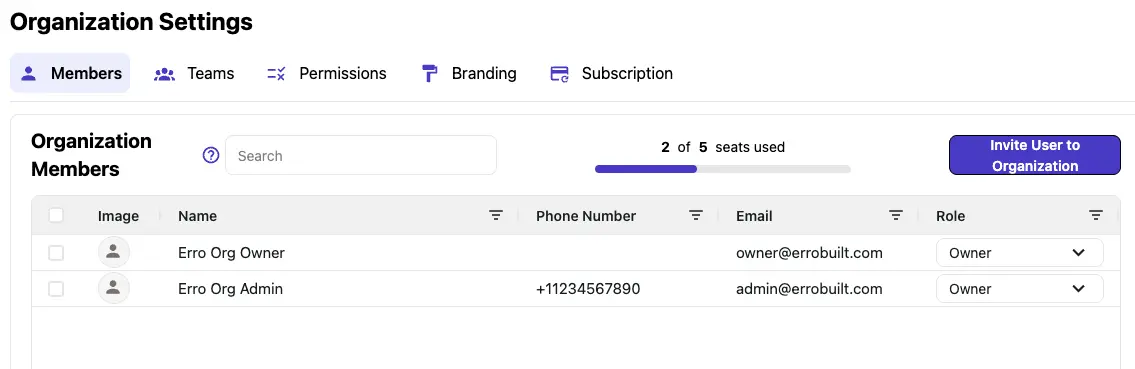
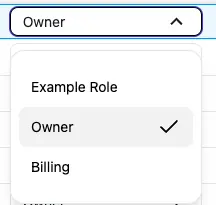
8. Change the role of a user.
Use the dropdown on the right end of the row for each individual user to change their role.
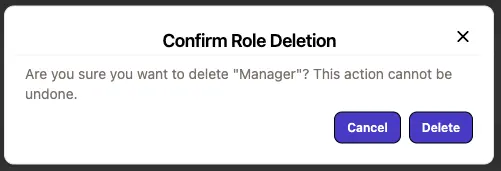
9. Delete a role.
To delete a role, first return to the 'Permissions' tab, click the three dot menu button next to the role name, then click 'Delete Role'. The role will disappear from the roles list.
Other Organization Management Articles
Explore more articles to help you get the most out of Erro.
Organization Overview
What is an organization.

Erro Support
Manage Organization Members
Step-by-step guide to viewing/inviting/removing organization members.
Erro Support
Update Organization Details/Branding
Personalize your Erro Organization by adding your own branding and details.
Erro Support
Manage Your Erro Subscription
Update your subscription to Erro including plan details and billing information.
Erro Support